

Gary Albert, better known online as the HDMI Guy, is the editor of HDMI RF Modulator, a practical resource for people trying to make old-school video equipment work with modern TVs, displays, and home entertainment systems.
An HDMI RF modulator can be a brilliantly practical piece of equipment. It can put a Roku on an old coax-only TV, turn a security-camera feed into a channel anyone in the building can tune, or send several centrally located HDMI sources through the coax already running to hotel rooms, classrooms, apartments, or bar TVs.
But it is not HDMI with a different plug.
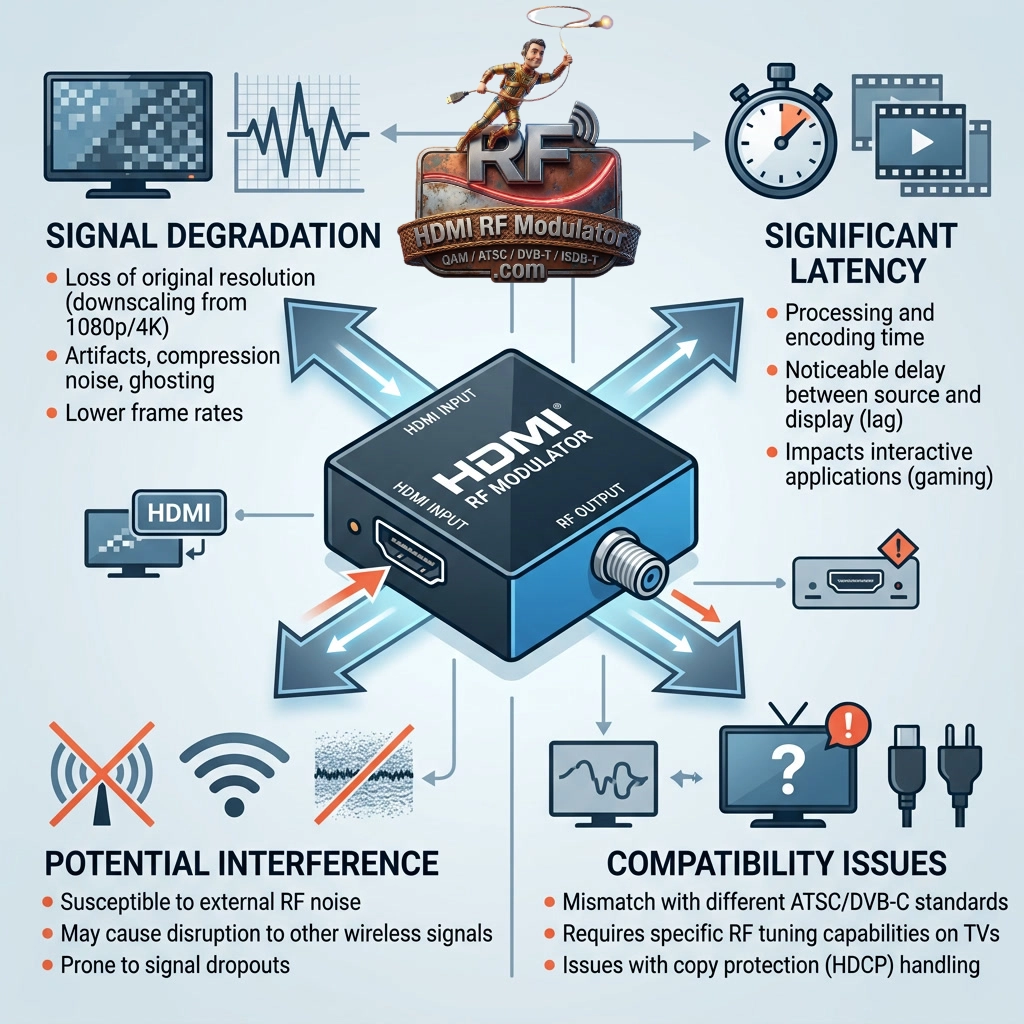
Once you convert HDMI into RF, you are changing how the video is transported, how the TV receives it, and—depending on the modulator—how much picture quality and control survive the trip. Before buying one, it helps to know exactly what you are giving up.
Analog Modulators Can Murder a Good Picture
The cheapest HDMI RF modulators usually create an analog NTSC television channel.
That is useful if your goal is to make a modern HDMI device work with an old TV. It is considerably less impressive if you start with pristine 1080p video and expect the same thing to emerge from the coax.
It won’t.
An analog modulator downconverts the picture to old-school standard-definition television. On a 20-inch CRT in the garage, that may be completely acceptable. On a 65-inch 4K TV, the picture can look as though someone smeared petroleum jelly over your HDMI cable.
Digital modulators are much better. ATSC and QAM models can distribute HD video, but they still encode the HDMI source before transmission. Bitrate and encoder quality matter, so even an expensive modulator isn’t automatically identical to a direct HDMI connection.
Analog and Digital TVs Don’t Always Play Nicely Together
A cheap analog modulator requires the receiving TV to have an NTSC analog tuner.
Many TVs do. Some newer models don’t.
That distinction catches people because the presence of a coax connector doesn’t prove the television can receive analog channels. The coax input may support only digital ATSC or QAM signals.
Digital modulators have their own compatibility questions. A QAM modulator requires TVs capable of receiving the particular QAM signal you’re generating. An ATSC modulator requires ATSC-compatible tuners.
The lesson is simple: check the tuner specifications of the TVs before choosing the modulator, not after you’ve bought twelve of them.
Channel Scanning Is More Annoying Than Selecting HDMI 2
With a direct HDMI connection, you press Input and choose HDMI 1 or HDMI 2.
An RF-modulated source has to be tuned like a television station.
You may have to set the modulator’s channel, scan for channels on the TV, and verify that your new channel doesn’t conflict with anything already on the coax network.
That’s trivial when you’re setting up one TV.
It becomes considerably less charming when you’re walking through 47 hotel rooms doing channel scans because somebody changed the headend configuration.
Digital Modulation Introduces Delay
A digital HDMI RF modulator has to encode the incoming HDMI video before creating the RF channel. The television then receives and decodes it.
That takes time.
For a movie playing in a hotel room, nobody cares. For a surveillance monitor, live event, sports bar, or gaming setup, latency may matter.
It becomes particularly obvious when two TVs in the same room receive the same program through different paths. If one is connected directly by HDMI while another receives the digitally modulated version, you may hear the crowd cheer from one TV before the quarterback has thrown the ball on the other.
RF Distribution Requires Actual RF Planning
Coax systems are forgiving, but they are not magic plumbing.
Every splitter costs signal level. Long coax runs introduce loss. Poor connectors cause trouble. Amplifiers can help, but too much amplification can create different problems.
A modulator outputting +24 dBmV may have plenty of strength for a substantial distribution system, but that doesn’t mean +24 dBmV should necessarily arrive at every TV.
You need enough signal after the splitters and cable losses—not the largest number you can generate.
This is one reason adjustable output level is valuable on professional digital modulators.
HDMI Features Mostly Stay Behind
Once HDMI becomes a TV channel, don’t expect all of HDMI’s conveniences to come along for the ride.
CEC control generally doesn’t travel through an ordinary RF modulation system. Neither does the normal two-way relationship between the HDMI source and the display.
If your cable receiver is sitting in an equipment closet and its picture is appearing on channel 65 throughout the building, changing the television to channel 65 doesn’t magically give the TV remote control of that receiver.
You may need an IR distribution system, RF remote, network control, or another solution for source control.
Digital Modulators Can Get Expensive Quickly
A basic analog HDMI RF modulator might cost around $50.
A quality digital unit can cost several hundred dollars, and commercial multi-input systems can cost substantially more. Add splitters, combiners, amplifiers, attenuators, rack equipment, and installation time, and “I’ll just use the existing coax” can evolve into a real AV project.
That doesn’t necessarily make RF modulation expensive compared with rewiring a building. It simply means you should compare the complete system cost rather than the price of one box.
The Biggest Disadvantage: Using One When You Don’t Need One
RF modulators are excellent at solving RF problems.
They’re much less attractive when a direct HDMI cable, HDMI-over-Cat6 extender, or network video system would do the job more simply.
If you’re connecting a streaming box to a television six feet away, converting HDMI into a television channel is usually unnecessary gymnastics.
If you’re trying to put four HDMI sources onto the existing coax network serving 30 TVs, however, an RF modulator suddenly looks very clever.
That’s the real calculation. Don’t ask whether HDMI RF modulation is good or bad. Ask whether turning your HDMI source into a television channel solves a problem you actually have.